Telematics
See your whole fleet in one place. goAardvark pulls telematics from the machines you already own, regardless of brand, so you can find any machine, check its hours and condition, and act on it without switching between OEM portals.
One operational picture
What you get with goAardvark
Full Fleet View
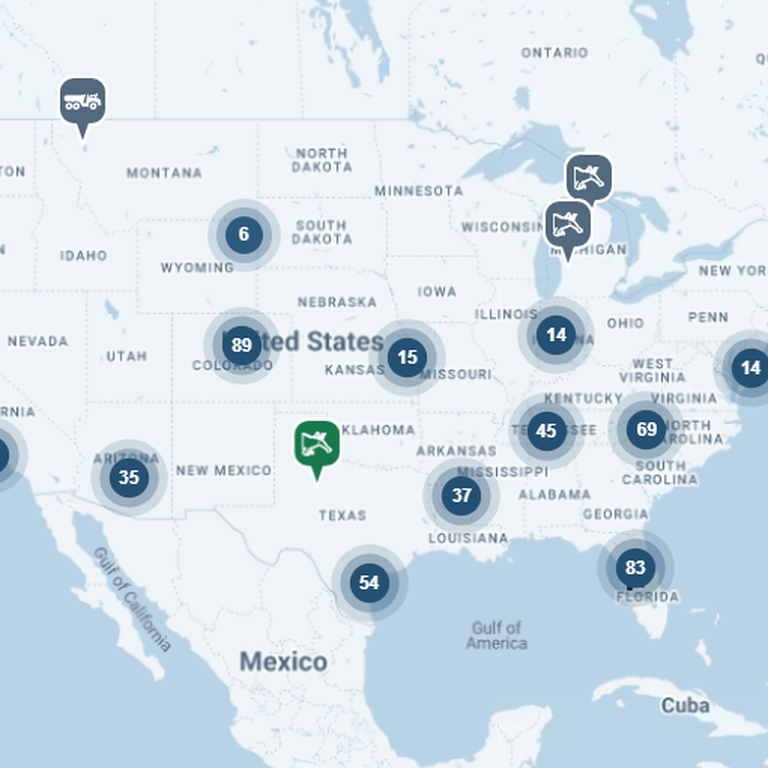
See every machine on one map. Machines group by region as you zoom out and separate as you zoom in, so you can spot where equipment is concentrated and find the one you need in seconds.
Depth of data your team can rely on.
Full Fleet View
Single Machine View
Click any machine to see its latest location, hours, hours over the last 30 days, fuel level and idle percentage, along with the data source. From the same card, start an inspection, open a work order, begin a conversation, get directions or mark the machine down.
One shared record for everyone involved.
Single Machine View
Mixed Fleet View
Bring Caterpillar, John Deere, Volvo, Bell and Case machines together in one view. goAardvark combines each manufacturer's telematics feed, so your team works from one fleet list instead of logging in to separate OEM portals.
Traceable and audit-ready from day one.
Mixed Fleet View
Frequently asked questions
More features
All featuresKnow where your fleet stands before the day slips.
Book a demo to see how goAardvark fits your heavy-civil operation.